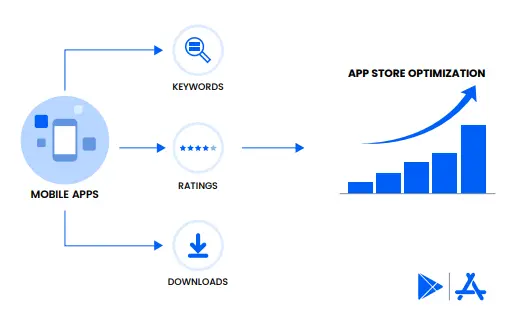
App screenshots are one of the key visual elements that influence download rates. Whether launching a new app or updating an existing one, optimizing your app’s visual presentation is essential. High-quality screenshots improve visibility in search results, attract potential users, and increase conversions.
Google Play showcases app screenshots when users search for your brand, making them a crucial part of your App Store Optimization (ASO) strategy.
Google Play Store Screenshot Size Guidelines
To ensure your app screenshots meet Google Play’s requirements, follow these mandatory guidelines:
- Format & Dimensions:
- Use JPEG or 24-bit PNG images (no transparency).
- Minimum dimension: 320 pixels
- Maximum dimension: 3840 pixels
- The longest side should not be more than twice the shortest side.
- File size must not exceed 8MB per screenshot.
- Device-Specific Requirements:
- Smartphones & Tablets: 2-8 screenshots, with a recommended minimum of 4 at 1080p resolution.
- Wear OS (Smartwatch): 1 screenshot (1:1 aspect ratio, minimum 384 x 384 pixels).
- Android TV: 1 screenshot + a TV banner (1280 x 720 pixels, JPEG or 24-bit PNG).
- Aspect Ratio:
- Portrait orientation: 1080 x 1920 pixels (9:16)
- Landscape orientation: 1920 x 1080 pixels (16:9)
- For games, provide at least three screenshots showcasing in-game experience.
Tips for Creating Effective App Screenshots
1. Showcase Key Features & Benefits
- Highlight your app’s core functionalities, benefits, and user experience.
- Use screenshots that tell a story, guiding users from installation to in-app interaction.
2. Prioritize the Best Screenshots
- The first three screenshots are the most important—make them eye-catching and engaging.
- Use the first slot for a screenshot that instantly earns user trust.
3. Use Text & Captions Wisely
- Add short, clear captions to explain app features.
- Text should not occupy more than 20% of the screenshot space.
- Avoid promotional phrases like “Best App,” “New,” or “Download Now.”
4. Consider Localization
- Don’t just translate captions—adapt visuals to resonate with different cultural preferences.
- Ensure images reflect regional expectations and user behavior.
5. Follow Best Practices for ASO & A/B Testing
- Regularly update screenshots based on user preferences, market trends, and competitor analysis.
- Experiment with different screenshot variations and run A/B tests to determine the most effective ones.
- Align screenshots with seasonal events or promotional campaigns when relevant.
6. Maintain High-Quality & Compliance
- Avoid clutter—keep visuals clean and informative.
- Do not use icons, logos, or characters from competitors without permission.
- Make sure content is timeless, unless targeting a specific event or season.
Conclusion
App screenshots play a vital role in boosting visibility and downloads on Google Play. Following the correct size guidelines, designing engaging visuals, and optimizing through ASO strategies will enhance your app’s appeal.
By carefully curating screenshots, aligning them with user expectations, and continuously refining them through testing, you can significantly increase conversions and grow your user base.